IESCO Bill Check Online 2026 – Download Duplicate Bill & Pay Online Islamabad
Are you tired of waiting for your paper bill to arrive? Or perhaps you lost your bill and need a duplicate copy right away?
If you live in Islamabad, Rawalpindi, Attock, Jhelum, or Chakwal, your electricity bill is issued by IESCO (Islamabad Electric Supply Company).
Checking your IESCO bill online is the fastest and easiest way to see your current charges, download a duplicate, and make your payment. In this simple guide, we will show you exactly how to do it—step by step.
⚡ Check Your IESCO Bill Instantly
Enter your ID below – we'll take you directly to the official PITC bill page and your bill will appear immediately.
Table of Contents
ToggleEstimate Your Bill Via IESCO Bill Calculator
how the basic calculation works:
Check your current meter reading (look at the black numbers on your electric meter).
Check your previous meter reading (this is printed on your last bill).
Subtract the previous reading from the current reading. This gives you your units consumed.
Multiply your units by the current rate (for 2026, the residential rate is approximately Rs. 18.50 per unit).
Add the Fuel Price Adjustment (FPA) and taxes (usually about 15%).
Example Calculation:
Units Consumed: 200 units
Base Rate: 200 × 18.50 = Rs. 3,700
Fuel Price Adjustment (FPA): Rs. 600
Taxes (15%): Rs. 645
Estimated Total Bill: Rs. 4,945
Please note: This is just an estimate. The government sometimes adds extra charges (like flood relief or special taxes) that are not included in this simple calculation. Always check your official IESCO bill for the final amount.
🧮 IESCO Bill Calculator 2026
Estimate your monthly bill with current IESCO tariff rates.
What is IESCO?
IESCO stands for the Islamabad Electric Supply Company. It is a government-owned utility company that distributes electricity to the capital city of Islamabad, as well as the twin city of Rawalpindi and several surrounding districts.
If your previous electricity bill says “IESCO” at the top, you are in the right place.
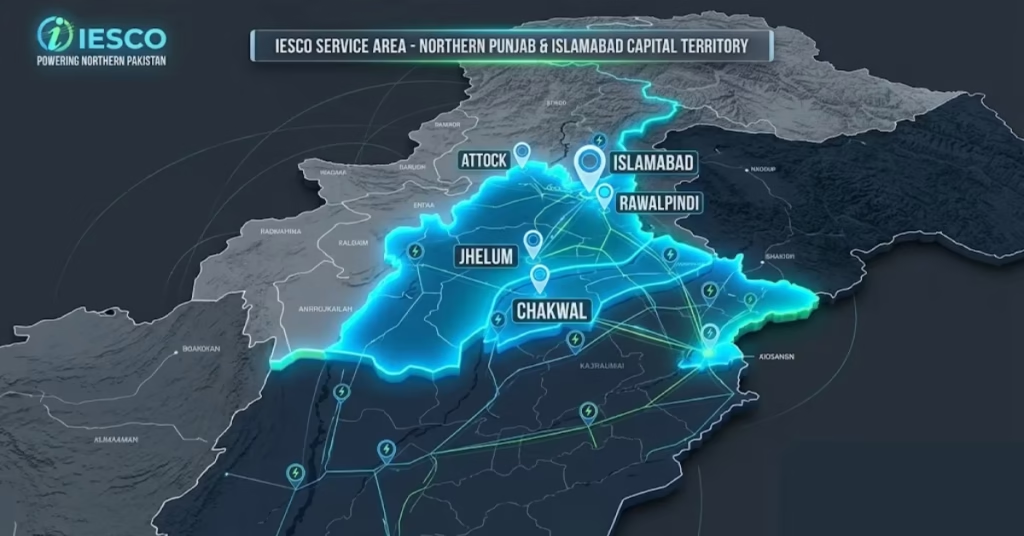
IESCO Service Area – Which Cities Are Covered?
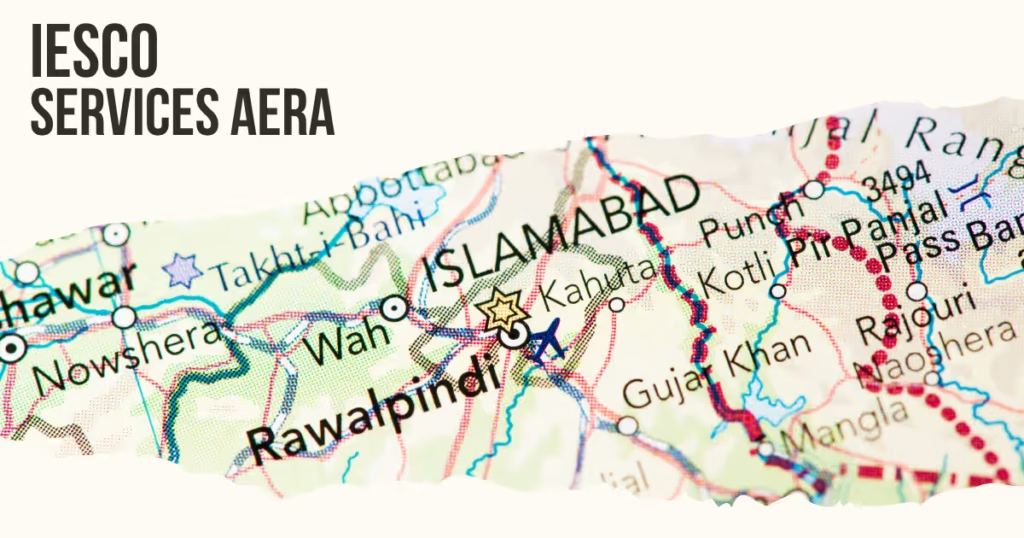
IESCO provides electricity to a large part of Northern Punjab and the Islamabad Capital Territory. If you live in any of the following cities or districts, your bill is issued by IESCO:
Islamabad – All sectors of the capital city.
Rawalpindi – Including Taxila, Wah Cantt, Gujar Khan, Kahuta, and Fateh Jang.
Attock – Including Hassan Abdal and Jand.
Jhelum – Including Sohawa and Dina.
Chakwal – Including Kallar Kahar and Talagang.
Haripur (Partial) – Some areas are under IESCO, others under PESCO.
But if you are unsure, just look at your previous bill. If the company name at the top says “IESCO”, you are a consumer.
How to Check IESCO Bill Online Official Portal
The most accurate way to check your bill is to use the official IESCO government website. Follow these simple steps:
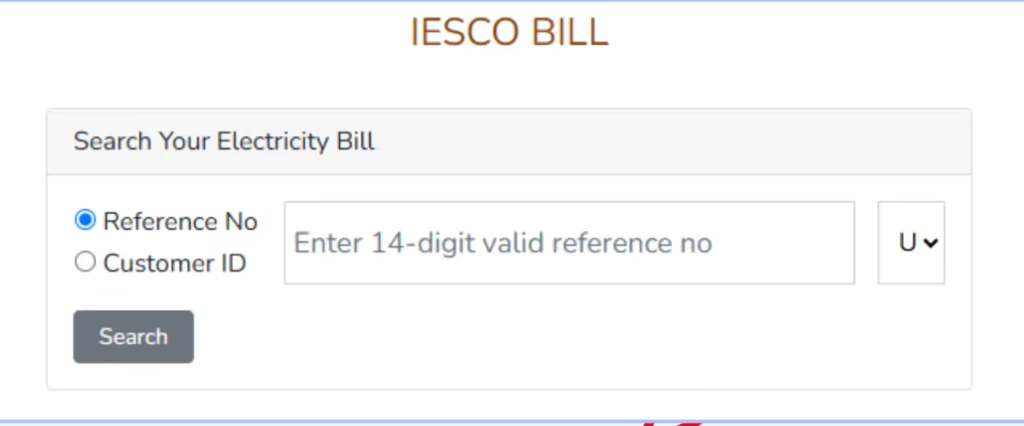
Step 1: Open your internet browser and go to the official IESCO portal:https://www.iesco.gov.pk/Modules/CustomerBillN/CustomerMenu.asp
Step 2: On the page that opens, you will see two empty boxes.
Enter your Consumer ID in the first box.
Or enter your Reference Number in the second box.
Step 3: Click the “Check Bill” button located below the boxes.
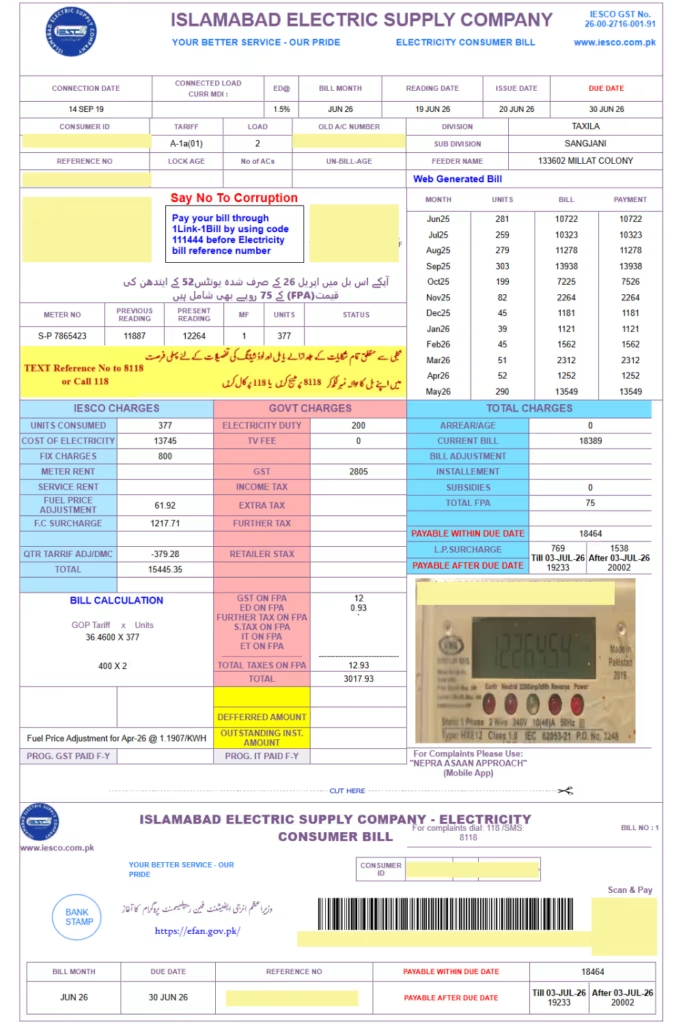
Step 4: Your current month’s bill will appear on your screen. You will clearly see:
Your name and address
The total amount due
The due date (so you can avoid late fees)
Your current and previous meter readings
Step 5: You can now download or print your bill using the “Print” or “Download PDF” buttons.
How to
Download an IESCO Duplicate Bill Online
Misplaced your paper bill? No problem. You can get a duplicate IESCO bill instantly.
Here is how:
-
Visit the official IESCO portal https://www.iesco.gov.pk/Modules/CustomerBillN/CustomerMenu.asp
-
Enter your Consumer ID or Reference Number.
-
Click "Check Bill".
-
Once your bill appears, look for the "Download PDF" or "Print" button.
-
Click it, and a high-quality PDF of your duplicate bill will download to your computer or phone.
This is extremely useful if you need a bill for bank applications, office records, or simply for your own files.
How to Pay Your IESCO Bill Online IESCO Bill Online
Once you have checked your bill, you need to pay it. Here are the safest and easiest ways to pay your IESCO bill online
| Payment Method | How to Use It |
|---|---|
| JazzCash App | Open JazzCash → Go to “Utilities” → Select “IESCO” → Enter your Consumer ID → Pay. |
| Easypaisa App | Open Easypaisa → Tap “Bill Payment” → Select “IESCO” → Enter your ID → Confirm. |
| UBL / HBL / MCB Internet Banking | Log into your bank’s website → Go to “Bill Payment” → Select “IESCO” → Enter ID → Pay. |
| Bank ATMs (HBL, UBL, MCB) | Insert your card → Select “Utility Bills” → Choose “IESCO” → Enter ID → Insert cash. |
| Debit/Credit Card (Official Site) | Pay directly on the official IESCO website using the “e-Pay” option. |
Important: Always pay your bill at least 2 to 3 days before the due date. IESCO charges a late fee (usually 5% to 10%) if you pay after the deadline.
IESCO Helpline and Contact Numbers
Facing issue in bill, a power outage, or any other issue, you can easily contact IESCO
| Service | Number / Contact |
|---|---|
| General Helpline (24/7) | 0800-53726 (Toll-Free) |
| Complaints & Fault Reporting | 0800-53726 |
| SMS Bill Check | Send your Consumer ID to 8333 |
| Official Website | www.iesco.gov.pk |
| Email for Complaints | complaint@iesco.gov.pk |
| Billing Email | billing@iesco.gov.pk |
Important: The helpline number 0800-53726 is toll-free, which means it does not cost you any money to call. Save this number in your phone for emergencies.