Electricity Bill Subsidy Pakistan 2026 – How to Apply, Eligibility & Status Check
Why Your Electricity Bill Can Become Much Cheaper
If your household uses less than 300 units of electricity a month, the Government of Pakistan may already be paying part of your bill. But there is a catch: your records must be correct. This page is a complete guide to every active electricity subsidy scheme in Pakistan, including the lifeline tariff, protected consumer category, and targeted PM relief packages. You will learn exactly who qualifies, how the subsidy appears on your bill, and the step-by-step process to make sure you receive every rupee you are entitled to. All the information here is drawn from official NEPRA notifications, DISCO circulars, and Ministry of Energy announcements. We update this page whenever the policy changes.
Electricity Bill Subsidy – How to Apply & Check Eligibility
If you use less than 300 units of electricity per month, the government may already be paying part of your bill. This guide explains every active subsidy, who qualifies, and how to make sure you get it. All information comes from NEPRA, DISCOs, and Ministry of Energy updates.
What Is the Electricity Bill Subsidy?
- An electricity bill subsidy is a discount provided by the Government of Pakistan to reduce the cost of power for low-income and middle-class households.
- The discount can lower the per-unit price or the total bill amount.
- In Pakistan, subsidies are not given as cash in hand; instead, they appear as a deduction on your monthly electricity bill.
- Most subsidies are applied automatically if you are in the correct consumer category, but some targeted schemes require your CNIC to be linked with your electricity connection.
The main types of subsidies active in 2026 are:
- Lifeline Tariff – for consumers using up to 100 units per month.
- Protected Consumer Tariff – for consumers using up to 300 units per month, often paired with a government relief package.
- Ehsaas-Linked Targeted Subsidy uses your poverty score (PMT) from the Ehsaas database to grant additional relief.
There is no separate “apply now” form for most subsidies. The key is to make sure your consumer category, CNIC, and poverty score records are accurate.
Who Is Eligible? The Three Subsidy Categories Explained
The table below shows the three main categories, the unit limits, and what action you need to take.
Category | Monthly Unit Limit | Typical Benefit | Is It Automatic? |
Lifeline Consumer | 1–100 units | Cheapest per-unit rate (often below Rs. 5/kWh), plus protection from some taxes and surcharges. | Yes, if your connection is correctly classified as “Residential Lifeline”. |
Protected Consumer | 101–300 units | Lower per-unit tariff and relief on fuel price adjustments. In many government relief packages, a fixed per-unit discount is applied. | Sometimes automatic, but often requires CNIC linking and the correct consumer category. |
General Residential (No special status) | Above 300 units | No targeted government subsidy. (Some general relief may apply only to the first 300 units as a base protection, but the full tariff applies.) | Not eligible. |
Important: Since 2024, the government has been phasing in a system where electricity subsidies are linked to the Ehsaas database through your CNIC. This means that even if you use under 300 units, you could lose the protected consumer subsidy if your CNIC is not on file or your poverty score (PMT score) exceeds the threshold set by the government. In some schemes, the cutoff is a PMT score of 40 or below. We explain how to check this below.
How the Subsidy Appears on Your Bill
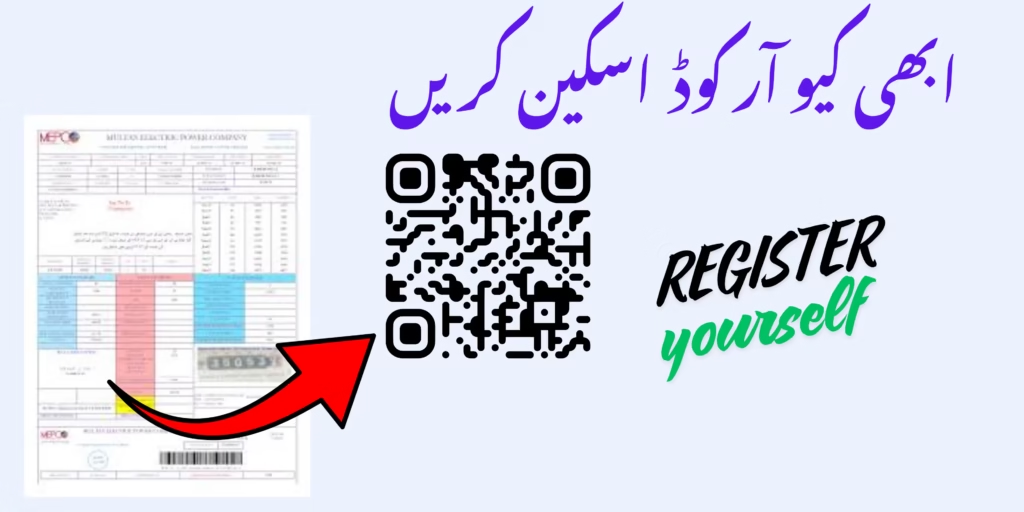
Look at your bill. The subsidy is shown as a separate line with a minus sign or a deduction. It may be called:
GOP Subsidy
Tariff Differential Subsidy
PM Relief
Lifeline Benefit
If you qualify but see no such line, your category or CNIC status needs checking.
Quick Table for whole Details
| Detail | Information |
|---|---|
| Official Portal | css.pitc.com.pk |
| Program Name | Electricity Bill Subsidy Program |
| Managed By | PITC (Power Information Technology Company) |
| Registration Fee | Free |
| Verification Method | CNIC + OTP |
| Required Document | Electricity Bill |
| Eligibility | Mostly protected domestic users |
| Average Unit Limit | Usually under 200 units |
| Mobile Requirement | PTA biometric verified SIM |
| Apply Method | Online |
| QR Code Support | Yes |
| Official Check URL | https://css.pitc.com.pk/register |
How to Make Sure You Get the Subsidy
Follow these steps one by one.
1. Check your monthly units.
Look at the “Units Consumed” on your bill. If it is 100 or below, you are in the lifeline slab. If it is 101–300, you are in the protected slab. If it is just above the limit, try to stay under the threshold. One extra unit can move you to a higher slab and remove your subsidy.
2. Check your consumer category.
Your bill must say “Residential Lifeline” or “Residential Protected”. If it says “General Residential” or “Commercial”, you will not get the subsidy. Visit your DISCO office to correct it.
3. Link your CNIC to your connection.
Take your original CNIC and a copy of your bill to the nearest DISCO customer service centre. Ask them to attach your CNIC to your reference number. Some DISCOs also let you do this online through their official app or website.
4. Check your Ehsaas poverty score (PMT).
If your subsidy is still missing, your PMT score might be above the cutoff (usually 40). Visit a BISP office and ask for your score. If it is too high, you can request a re‑survey. Once corrected, inform your DISCO.
5. Keep your records updated.
If you change your phone number, move house, or transfer the connection, update your details at the DISCO immediately. Broken records can remove your subsidy.
How to Check Your Subsidy Status Online
DISCO Bill Inquiry Portal: View your bill online. The subsidy amount will show on the digital bill.
CNIC Verification Page: Some DISCOs have a page where you enter your reference number or CNIC to see your subsidy status.
SMS Service: Send your 14‑digit reference number to 8118. The reply includes subsidy information.
Helpline 118: Call the electricity helpline and ask about your subsidy category.
Common Problems and Fixes
| Problem | Probable Reason | Solution |
|---|---|---|
| Subsidy vanished | You crossed the unit limit, or CNIC link expired | Check units; visit DISCO to link CNIC again |
| Bill says “General” despite low units | Incorrect category | Go to SDO office with CNIC and bill; ask for category change |
| Eligible, but subsidy never shown | Meter may be commercial, or CNIC not registered | File complaint at 118, then visit DISCO |
| CNIC linked, still no protected subsidy | PMT score above cutoff | Check score at BISP; apply for re‑survey if needed |
Documents You May Need
Original CNIC and a photocopy
Latest electricity bill
Proof of residence (for name/address change)
BISP registration number (if disputing PMT score)