
Free Electricity Bill Calculator Pakistan – Estimate Your Bijli Bill Instantly
Want to know your electricity bill before the official one arrives? Our electricity bill calculator Pakistan gives you a near‑exact estimate in seconds. Just enter the number of units you used, select your DISCO, and the tool shows your per‑unit cost, slab rate, taxes, and total amount. It’s free, needs no sign‑up, and works for MEPCO, LESCO, IESCO, GEPCO, FESCO, HESCO, QESCO, PESCO, and K‑Electric.
How to Use Electricity ( Bijli ) Bill Calculator Online
This bijli bill calculator online is built for simplicity. You do not need to read long instructions. Just follow these three steps:
Enter your units consumed. Look at your meter or last bill. Type the number in the box.
Select your DISCO. Choose your electricity provider from the dropdown (MEPCO, LESCO, etc.). Tariffs are mostly the same across Pakistan, but minor differences exist.
Click “Estimate Bill”. The calculator instantly shows your slab, per‑unit rate, FPA, GST, TV fee, fixed charges, and the total estimated bill.
You can use it to compare what happens if you stay under 100 units or cross 200. This helps you manage your consumption before the month ends.
⚡ All DISCOs · NEPRA Tariff 2024-25
Pakistan Electricity
Bill Calculator
Accurate estimates for all 11 distribution companies
Your DISCO
—
—
—
Connection Details
kWh
Adjustments & Taxes
Estimated Monthly Bill
Rs 0
Including all taxes & charges
Bill Breakdown
Energy Charges (slabs)—
Fuel Price Adjustment—
Quarterly Tariff Adj.—
Electricity Duty (1.5%)—
TV License Fee—
Meter Rent / Fixed—
Net Amount (before tax)—
General Sales Tax (GST)—
Extra Charges / Arrears—
Slab Breakdown
| Slab | Units | Rate (Rs/kWh) | Amount (Rs) |
|---|
⚠️ Disclaimer: This is an estimate based on NEPRA FY2024-25 approved tariffs. Actual bill may differ due to local surcharges, NJ tax, or special categories. Always verify with your DISCO or official bill.
یہ بجلی بل کیلکولیٹر نیپرا کے جاری کردہ تازہ ترین نرخوں کی بنیاد پر تخمینہ فراہم کرتا ہے۔ حکومت اور نیپرا وقتاً فوقتاً قیمتوں میں رد و بدل کرتے ہیں، اور بعض اوقات بل میں فیول پرائس ایڈجسٹمنٹ (ایف پی اے)، ٹیکسز، اور دیگر سرچارجز میں ماہانہ بنیادوں پر اضافہ ہو جاتا ہے۔ اس لیے یہ تخمینہ اصل بل کے برابر نہیں ہو سکتا۔ ہم اس بات کی ضمانت نہیں دیتے کہ آپ کا بل بالکل اتنا ہی آئے گا۔ درست معلومات کے لیے اپنی ڈسکو کی ویب سائٹ سے اپنا بل چیک کریں
Electricity Unit Rate Calculator – Know Your Per‑Unit Cost
To estimate your electricity bill, calculate your monthly consumption by multiplying the appliance’s wattage by its daily hours of use, divide by 1,000, and multiply by your local per-unit rate. In Pakistan, costs are slab-based and range from roughly Rs. 16.48 to Rs. 65+ per unit depending on consumption.
1. Calculate Your Daily/Monthly Units (kWh)
To find how many “units” an appliance consumes, use this Formula
Formula kWh = Wattage (W) Hours x Used Per Day x Days / 1,000
Example: Running a 2,000W appliance for 4 hours a day for 30 days.
- Daily: 2000 x 4 / 1000 = 8
- Monthly: 8 × 30 = 240 units
2. Calculate the Cost
Multiply your total consumed units by the per-unit rate (plus any applicable fixed service charges or government taxes).
Total Cost = Total Units Consumed x Per-Unit Rate +Taxes
Total Cost = Total Units Consumed x Per-Unit Rate +Taxes
An electricity unit rate calculator is exactly what this tool does first. Pakistan’s per‑unit price changes with consumption. The more you use, the higher the rate. The calculator applies the current NEPRA‑notified tariff for your consumption slab. Below is a quick reference for residential consumers:
| Monthly Units | Approx. Per‑Unit Rate (PKR) |
|---|---|
| 1 – 100 (Lifeline) | Under Rs. 5 |
| 101 – 200 | Rs. 7 – 9 |
| 201 – 300 | Rs. 9 – 12 |
| 301 – 400 | Rs. 14 – 17 |
| 401 – 500 | Rs. 18 – 21 |
| Above 700 | Rs. 22 – 25+ |
Rates shift slightly with fuel adjustment and quarterly NEPRA reviews. Our tool always uses the latest official data.
Slab Rate Calculator Pakistan – Understand Your Tariff Slab
A slab rate calculator Pakistan helps you see why your bill jumps when you move from 100 to 101 units. That is the slab system in action. The government protects low‑usage households with cheap rates. Once you cross a slab boundary, the rate applies to the entire consumption, not just the extra units. Our calculator highlights your current slab and warns you if you are near the next one.
The main residential slabs are:
Lifeline slab (1‑100 units) – heavily subsidised.
Protected slab (101‑300 units) – moderate subsidy.
General slab (301+ units) – full tariff with all surcharges.
You can test different unit numbers to see how crossing a slab affects your total. This makes it a powerful budgeting tool.
DISCO‑Wise Bill Estimator – MEPCO, LESCO, IESCO & More
Many users search for a MEPCO bill calculator or a LESCO bill calculator. Our single tool works for all DISCOs because Pakistan’s residential tariff structure is uniform. However, some DISCOs have slight variations in fixed charges or TV fees. Selecting your DISCO ensures these small differences are included.
Below are the specific calculators for each major provider:
MEPCO Bill Calculator
For Multan, D.G. Khan, Muzaffargarh, and nearby areas. Just select MEPCO from the dropdown after entering your units. The tool applies MEPCO’s current fixed charges (around Rs. 160 for single‑phase). Use this MEPCO bill calculator to estimate your bill before the 14‑digit reference number check.
LESCO Bill Calculator
Lahore, Sheikhupura, Kasur, and Nankana Sahib consumers can rely on this LESCO bill calculator. Fixed charges and slight regional adjustments are pre‑loaded. It works perfectly alongside the LESCO online bill inquiry.
IESCO Bill Calculator
Islamabad, Rawalpindi, Jhelum, and Attock users, this IESCO bill calculator is for you. The tariff is identical to other DISCOs, but IESCO’s fixed charges are factored in. Use it to plan your monthly electricity budget.
GEPCO Bill Calculator
Gujranwala, Sialkot, Gujrat, Hafizabad – this GEPCO bill calculator covers your region. Simply enter units and get an accurate estimate instantly.
FESCO Bill Calculator
Faisalabad, Jhang, Mianwali, Bhakkar consumers can use the FESCO bill calculator to see their likely bill. The tool includes the latest FESCO tariff details.
HESCO Bill Calculator
Hyderabad, Jamshoro, Thatta, Badin – the HESCO bill calculator gives you a close estimate of your monthly bill. Fixed charges and surcharges are up to date.
QESCO Bill Calculator
Quetta and all Balochistan consumers can use the QESCO bill calculator. The calculator uses QESCO’s current fixed charges and applies the same NEPRA residential tariff.
PESCO Bill Calculator
Peshawar, Mardan, Abbottabad, Swat residents can rely on the PESCO bill calculator for an instant bill estimate.
K‑Electric Bill Calculator
Karachi consumers have a separate provider, KE. Our KE bill calculator applies K‑Electric’s specific tariff structure, which is slightly different from WAPDA DISCOs but still slab‑based.
Using these DISCO‑specific labels does not change the calculation much, but it builds trust and captures local search intent.
How to Calculate Electricity Bill from Meter Reading
If you prefer to do it manually, this how to calculate electricity bill from meter reading guide will help. Follow these steps:
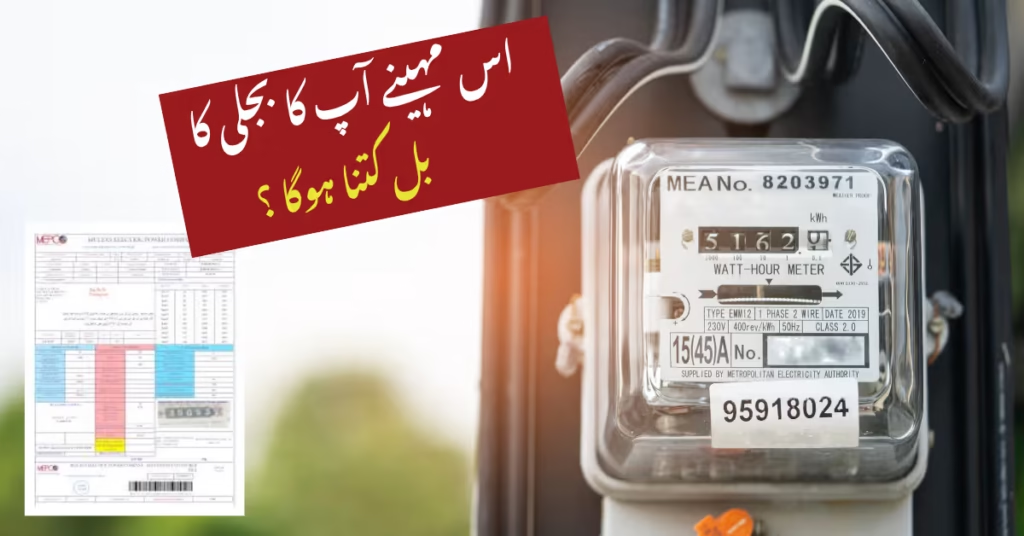
Record your current meter reading. Look at your electricity meter and write down the number. Ignore the red digits (those are fractions).
Subtract the previous reading. Your last bill shows the previous reading. Subtract it from the current reading to get total units consumed this month.
Apply the slab. Check which slab your units fall into (refer to the table above). Note the per‑unit rate for that slab.
Add fixed charges. These are usually Rs. 150–200 for single‑phase and higher for three‑phase.
Add FPA, GST, and TV fee. These are additional charges. FPA changes monthly; GST is a percentage of the energy charge; TV fee is Rs. 35–50.
Calculate the total: (Units × Rate) + Fixed Charges + FPA + GST + TV Fee = approximate bill.
Our calculator does all this automatically, but knowing the manual method helps you verify your official bill.
Peak Hours Electricity Calculator – Time‑of‑Use Tariff
If you have a three‑phase connection with a TOU (Time‑of‑Use) meter, you need a peak hours electricity calculator. Your bill is split into peak and off‑peak units. Peak hours are usually 6 PM to 10 PM (summer) or 4 PM to 8 PM (winter). Off‑peak is the rest of the day. Peak rates are much higher.
Our tool includes a separate mode for TOU meters. You enter:
Peak units consumed
Off‑peak units consumed
It applies different rates to each and sums them with fixed charges and taxes. This gives you a far more accurate estimate than a simple slab calculator.
3‑Phase Electricity Bill Calculator (Commercial & Industrial)
A 3 phase electricity bill calculator is essential for businesses and factories. Three‑phase connections have higher fixed charges and sometimes a different tariff structure. Our tool adapts when you select “3‑Phase Commercial” or “3‑Phase Industrial” in the DISCO dropdown. It automatically applies the correct fixed charges (which can be Rs. 400–2,000 depending on load) and the relevant tariff rates.
FPA Calculation & Taxes on Electricity Bill
Understanding FPA calculation electricity and GST on electricity bill calculator functions can save you from confusion. Here is what each charge means:
FPA (Fuel Price Adjustment): This reflects the change in fuel cost (coal, RLNG, furnace oil) used to generate electricity. It varies every month and can be positive or negative. Our calculator uses the latest NEPRA‑notified FPA.
GST (General Sales Tax): Typically 17% on the energy charge for non‑lifeline consumers. Lifeline consumers are usually exempt.
TV Fee: Rs. 35 for most residential connections. For KE, it is Rs. 50.
Fixed Charges: Based on connection type and load. Single‑phase residential pays around Rs. 150–180; three‑phase commercial pays more.
Our calculator displays each charge separately so you know exactly where your money goes.

Tahir Subhani
Tahir Subhani, energy analyst , designed this calculator based on official NEPRA tariff schedules and DISCO‑specific fixed charges. We cross‑check rates monthly and update the tool immediately after any government notification. Our commitment to accuracy means you can use this estimator with confidence.
All underlying data is sourced from:
NEPRA’s quarterly tariff determinations.
Monthly fuel price adjustment notifications.
DISCO official websites and consumer service circulars.
Your privacy is fully protected. The calculator operates entirely on your device. No input data ever leaves your browser.
IESCO (Islamabad Electric Supply Company) is one of Pakistan’s major electricity distribution companies (DISCOs). It supplies power to the Islamabad Capital Territory, Rawalpindi, Jhelum, Attock, and parts of Azad Kashmir. IESCO serves over 3.5 million consumers. Its official website is iesco.com.pk, where you can check bills, download duplicate bills, register complaints, and track new connections. IESCO’s helpline is 118, and it also provides SMS bill alerts and a mobile app for consumer services.
Your Consumer ID (also called reference number or account number) is found:
On any previous paper electricity bill (top right, 14 digits).
In the SMS alert you receive from your DISCO when a bill is generated.
On the payment receipt if you paid via JazzCash or Easypaisa (check transaction history).
If you don’t have any of these, visit the IESCO customer service centre (or your local DISCO office) with your CNIC and the property address. They will provide your Consumer ID after verification. There is no way to obtain it online without prior records.
For most residential consumers with traditional meters, you cannot view the live meter reading online. The meter reader visits your premises and records the reading, which then appears on your bill. However, if you have a smart meter installed by IESCO (or another DISCO), you may be able to monitor your real‑time consumption and reading through the official smart‑meter mobile app or web portal.
You can also use the “Apna Meter, Apni Reading” feature on the Power Smart App (by PITC) to self‑submit your meter reading for transparent billing, but this doesn’t pull the reading automatically — you input it yourself.
Yes, you can check your electricity bill amount (outstanding balance) online. For post‑paid connections, it’s just the current bill total. Use any of these methods:
Official DISCO website (e.g.,
iesco.com.pk→ Bill Inquiry).JazzCash/Easypaisa: select Electricity → IESCO → enter reference number → the bill amount and due date appear.
SMS to 8118 with
PITC [space] 14-digit reference number.
For prepaid meters, check the physical meter display or the DISCO smart‑meter app, if available in your area.